
When we build websites, we often need to convert a .mov, .mpeg or an .avi file into an .mp4 file that we can use directly in HTML5. And even if the original is already an .mp4 file, it usually makes sense to check if the file can be compressed further. Smaller files mean faster pages, a better experience for mobile users, better rankings on Google and less energy usage.
Optimal compression can significantly reduce file size
Below are examples of a 29-second screencast. An original version exported from Screencastify, and a version compressed with HandBrake. In the video we demonstrate how the built-in speech synthesis in Windows works in Microsoft Edge, but that is relevant.
The point is that image quality and sound are close to being comparable in the original and in the compressed version respectively.
Bitrate and file size are linked
Bitrate and final file size are closely related. The 420 kbps – or kilobits per second – can be multiplied by the length of the video to give a kilobit number, which for readability is converted to megabytes. In other words – if we reduce the video bitrate to ⅓, the compressed video takes up about ⅓ of the original.
| Video file | File size |
|---|---|
| Original 1200 kbps | 4.12 MB |
| Compressed 420 kbps | 1.50 MB |
A better user experience, better SEO and a greener Internet
Well, that’s three things at once! Nevertheless, this is what is achieved by optimising the media on the website, and this is especially true for video, which is some of the heaviest content we can serve.
Lighter files load faster at the user and eat up less of the mobile user’s data plan. Faster pages rank better on search engines, especially for mobile users – that’s no secret.
Data transfers are not free. There are many of them and they all use power. When we reduce the file size by 66%, we use correspondingly less energy during the data transfer.
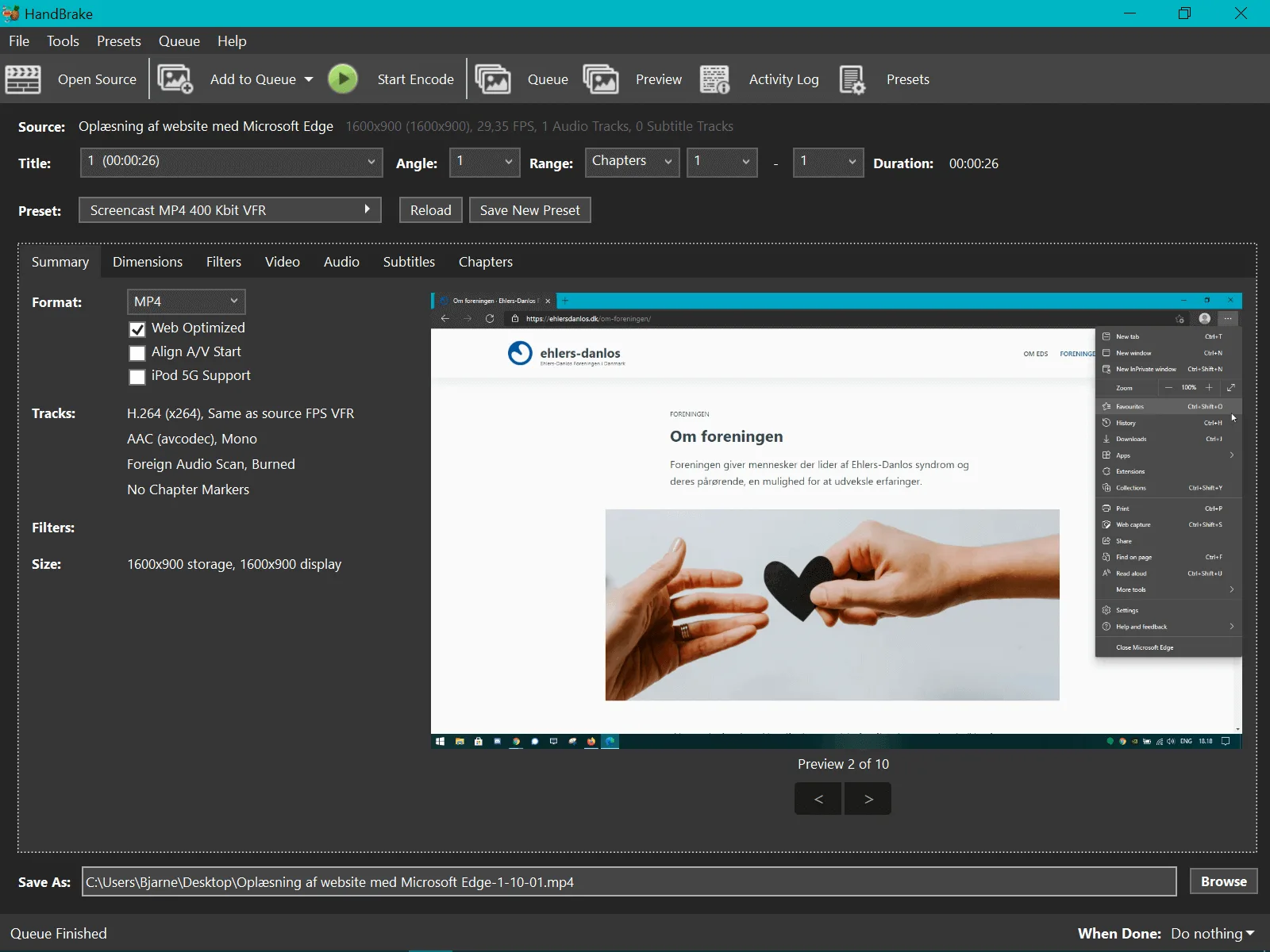
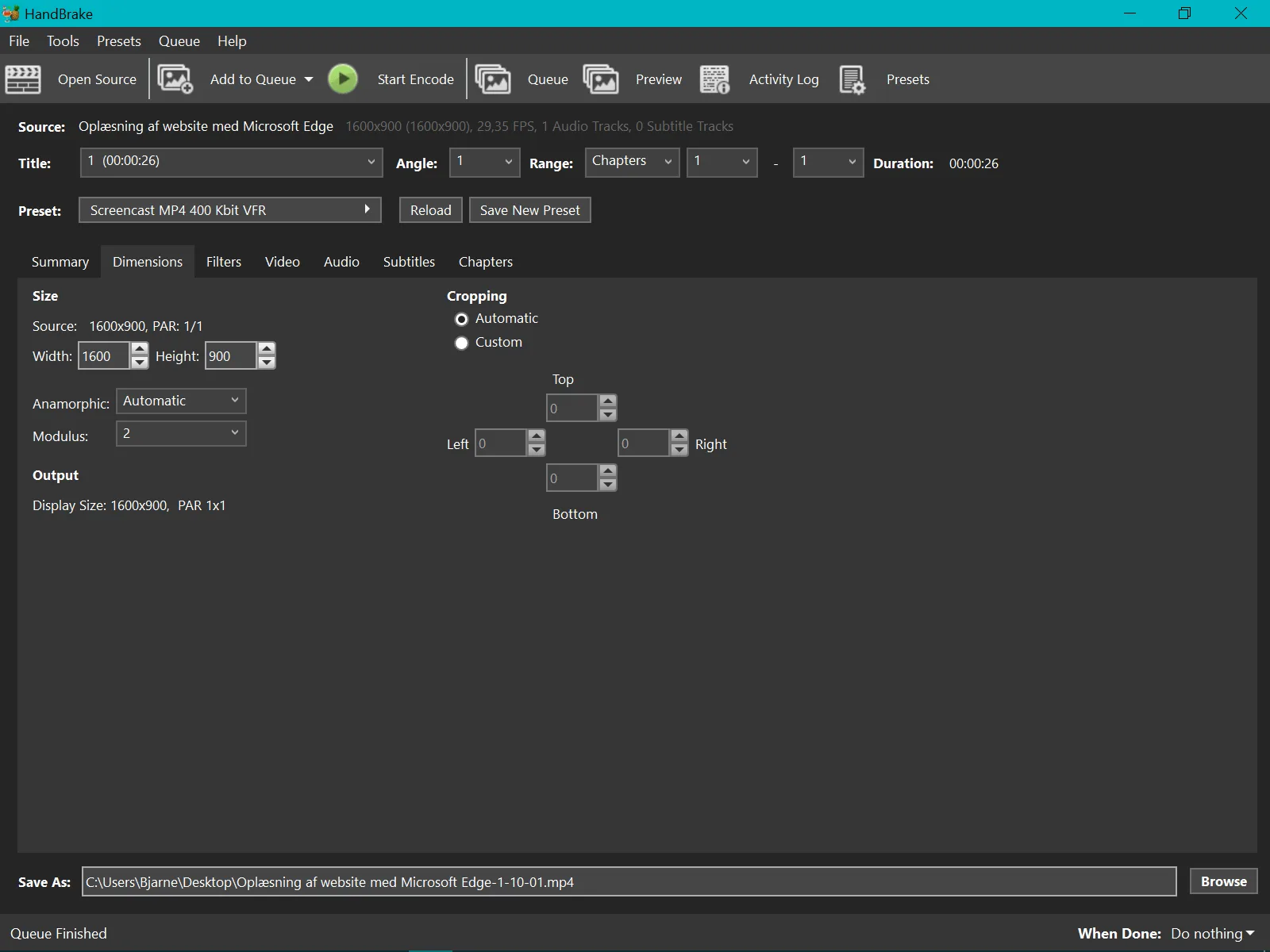
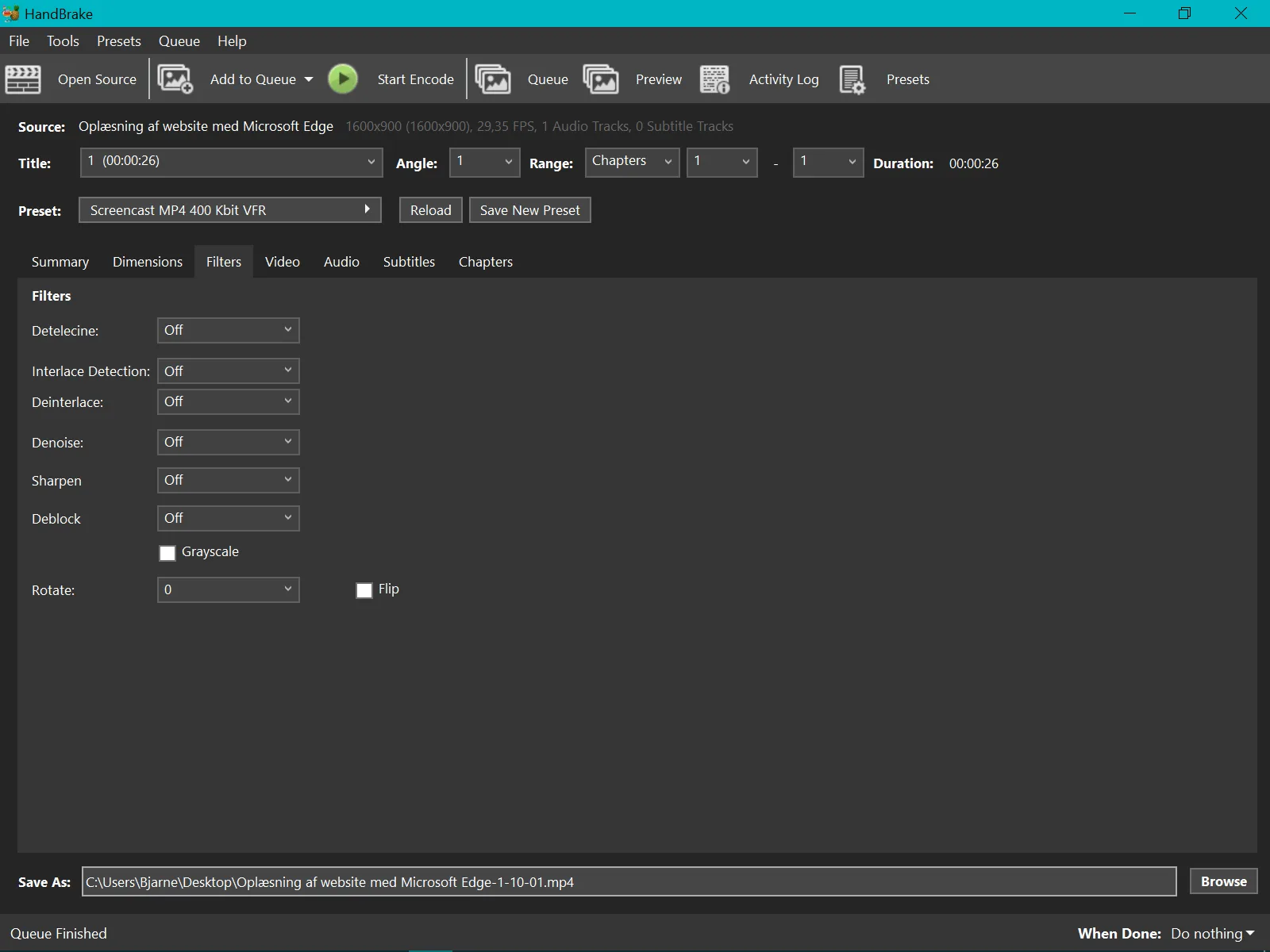
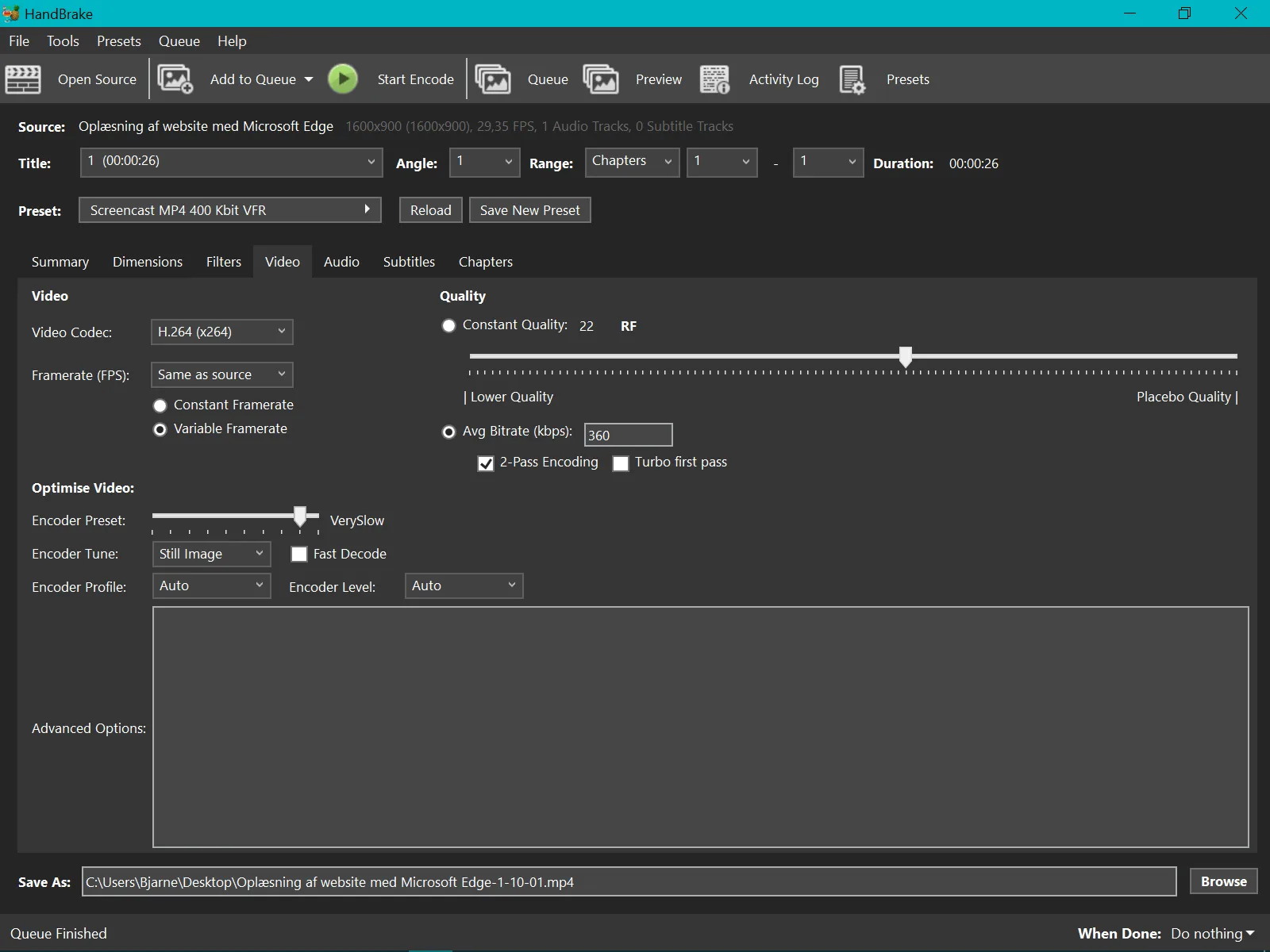
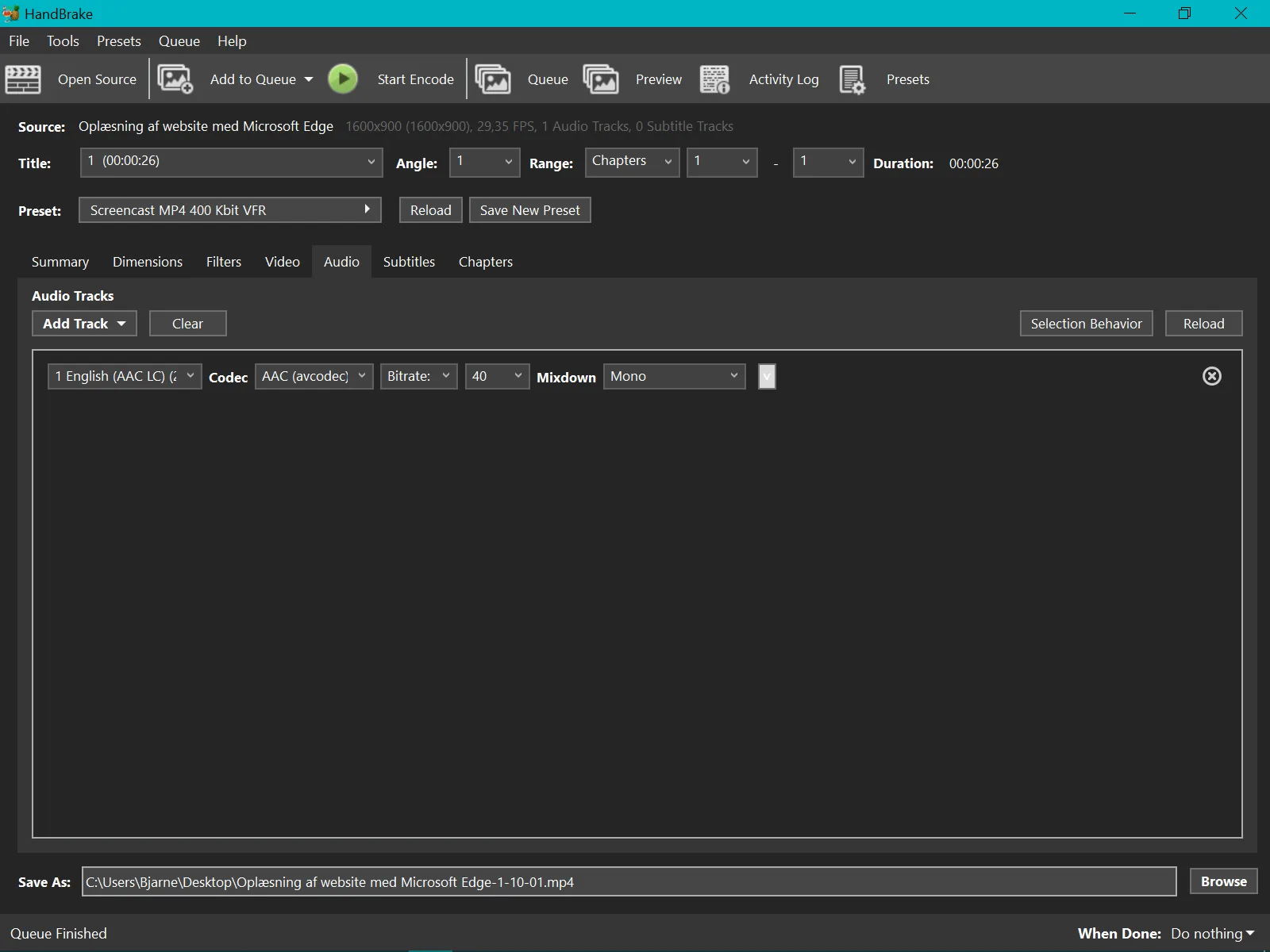
HandBrake settings used for screencast
In short, we are now using an MP4 container with H.264 encoder, no scaling or filters, H.264 encoder tuned to Still Image at a low bitrate of 360 kbps and 2-Pass encoding. Audio is mono.
Try WebM instead of GIF animations
The clip below was found on giphy.com. Converting it to WebM with HandBrake makes it much, much smaller.
| Video format | File size |
|---|---|
| GIF | 2467 KB |
| WebM | 110 KB |
Download and give HandBrake a try
HandBrake, available for Windows, MacOS and Linux, converts anything we throw at it to H.264/H.265 or WebM. There are built-in profiles that make it easy to get started converting to specific platforms, useful filters such as deinterlace, and you can queue multiple files at once.